HomeAppsTheme WallpapersUme Icon Changer

Ume Icon Changer
For Android devices
Summary
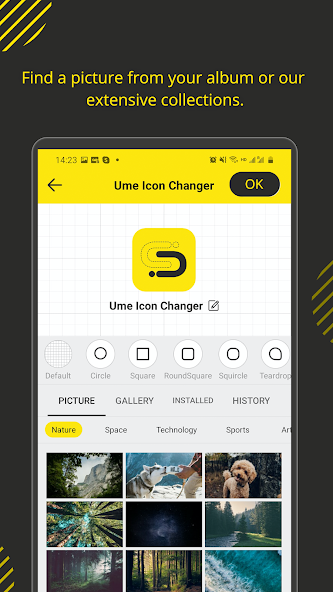
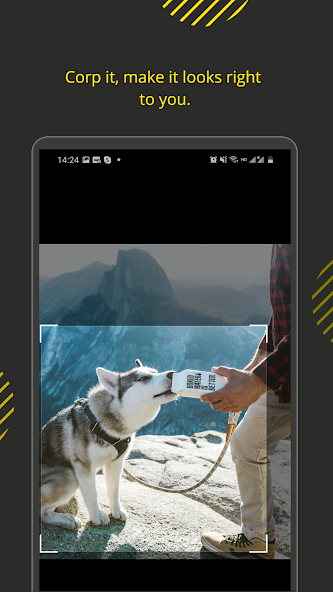
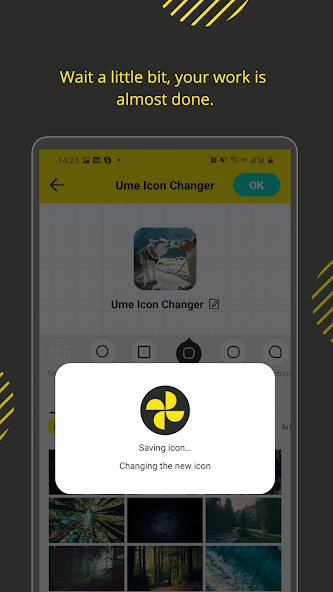
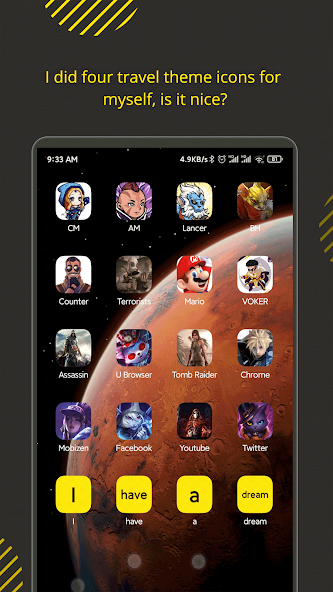
With the Ume Icon Changer, Android users can customize their devices effortlessly by changing app icons and names on their home screens. This application is perfect for anyone looking to personalize their smartphone by selecting new icons from their gallery, other apps, or available icon packs. Ume Icon Changer's primary appeal lies in its simplicity and the creative freedom it offers, providing a straightforward way to revamp the visual appearance of your Android device.
Screenshots
5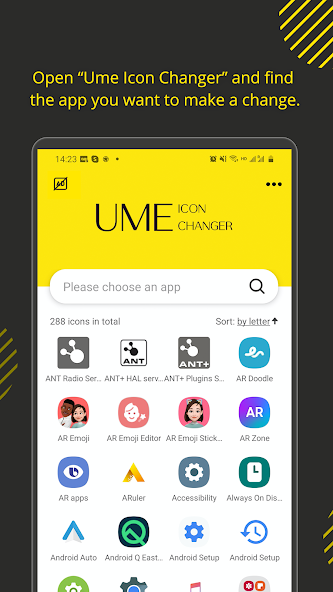
Technical Information
- Versionv1.4.0
- App size6.99 MB
- CategoryTheme Wallpapers
- Package namecom.ume.shortcut
- DeveloperUme Web
- LanguageEnglish
- Updated2026-11-17
How to Download & Install
- 1
Tap the Download APK button below
- 2
Allow installing from unknown sources if prompted
- 3
Wait for the download to finish, then install the APK file
- 4
Open the app and start using it
Frequently Asked Questions
What is the latest version?
The latest version is v1.4.0, updated on 2026-11-17.
How large is the download?
The download is about 6.99 MB. Downloading over Wi-Fi is recommended.
Which category is it in?
It is listed under "Theme Wallpapers" and developed by Ume Web.
What is the package ID?
The package ID is com.ume.shortcut; you can use it to verify the app source before installing.
About this app
Customization Made Easy
Ume Icon Changer allows users to easily craft shortcuts with custom icons directly on their home screen. This feature is especially appealing for users who wish to organize their applications visually, making their phone interface both functional and aesthetically pleasing. The app supports a wide range of icon sources, including taking choices from personal image galleries or selecting from a variety of icon packs readily available within the app.
Intuitive Interface
The application's interface is designed to be user-friendly and navigable, ensuring that users of all levels can utilize its features without hassle. To ensure the transition to custom icons is seamless, the app utilizes a widget-based approach for its functionality, allowing for the easy creation and placement of new shortcuts directly on the home screen.
Seamless Integration
Ume Icon Changer integrates smoothly with your existing Android environment, enhancing the user experience by offering freedom in icon customization without compromising system performance. The app ensures that despite visual personalization, the core functionality of the applications remains untouched, maintaining their original purpose while allowing aesthetic modification.
Getting Started with Ume Icon Changer
To begin using Ume Icon Changer, users can effortlessly download the APK from trusted sources like Apkmody. Once installed, simply enable necessary permissions, and you can start creating your personalized app icons without needing to root your device. This hassle-free setup makes it accessible for beginners, while advanced users will appreciate the range of customization options it provides.
Final Thoughts and Accessibility
Ume Icon Changer is an ideal tool for Android users eager to personalize and organize their device's home screen with a creative touch. Its primary appeal lies in its simplicity and flexibility, catering to those who appreciate a personalized digital environment. Interested users can explore more about its features by downloading the application from Android markets like Apkmody to begin transforming their device's appearance.
Related Apps
See more