HomeAppsSystem ToolsNetwork Manager

Network Manager
For Android devices
Summary
Network Manager is a comprehensive Android application designed for network management and analysis, catering to professionals, engineers, and advanced users who seek precision and performance in a mobile suite. Offering over 40 professional-grade tools, Network Manager allows users to monitor, analyze, and optimize their network connections in real-time. With its range of functions from mobile data and Wi-Fi analysis to VPN management, this app can be an invaluable asset for Android users wanting an all-in-one solution for network insights.
Screenshots
5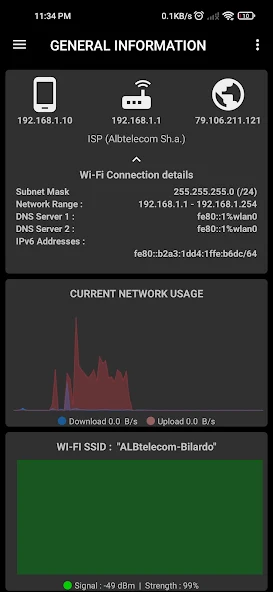
Key Features
Key Features of Network Manager
- Network Manager comes packed with a plethora of features aimed at providing a wide array of network management experience:
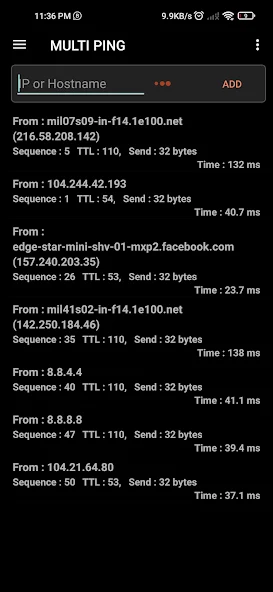
- Real-Time Monitoring: Includes telephony monitoring with signal graphs, live mobile and Wi-Fi traffic analysis, and Wi-Fi quality graphs for a comprehensive overview.
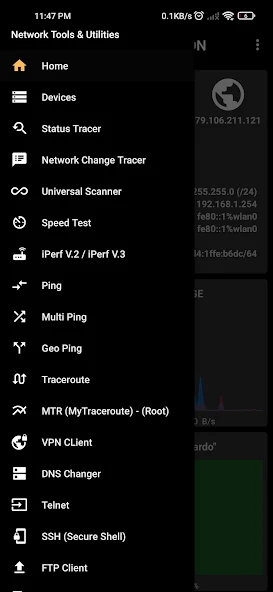
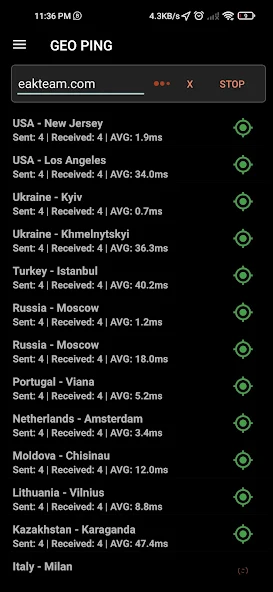
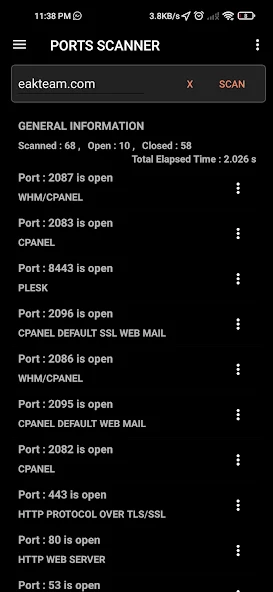
- Network Scanning & Diagnostics: Provides tools such as Universal Scanner, LAN and Port Scanners, along with Whois and Traceroute for in-depth network diagnostics.
- Connectivity & Remote Access: Supports protocols like FTP, SSH, VPN, and Wake-on-LAN for seamless remote management.
- Smart Utilities: Features IP Calculator, DNS Lookup, and device management utilities for maintaining network stability and protection.
Technical Information
- Versionv32.0.1-PRO
- App size39.18 MB
- CategorySystem Tools
- Package namecom.eakteam.networkmanager.pro
- DeveloperEAK TEAM ELECTRONICS
- LanguageEnglish
- Updated2026-11-17
How to Download & Install
- 1
Tap the Download APK button below
- 2
Allow installing from unknown sources if prompted
- 3
Wait for the download to finish, then install the APK file
- 4
Open the app and start using it
Frequently Asked Questions
What is the latest version?
The latest version is v32.0.1-PRO, updated on 2026-11-17.
How large is the download?
The download is about 39.18 MB. Downloading over Wi-Fi is recommended.
Which category is it in?
It is listed under "System Tools" and developed by EAK TEAM ELECTRONICS.
What is the package ID?
The package ID is com.eakteam.networkmanager.pro; you can use it to verify the app source before installing.
About this app
The User Experience
Network Manager is designed with a clean and professional interface, ensuring that users, from sysadmins to IT professionals, can use the app with ease. Every tool has both normal and advanced modes, complete with in-app documentation, making it accessible and informative. Regular updates ensure that the app evolves with new features, maintaining its relevance in a fast-paced tech environment.
Professional Power and In-App Purchases
For users needing more advanced capabilities, Network Manager offers premium features through a subscription model. This unlocks additional tools like Nmap Scanner, SQLmap Security Scanner, and Native Speed Test, giving users the full power of a desktop network suite within a mobile app. These features cater to professionals who demand the utmost in network precision and security.
Why Choose Network Manager?
With its extensive toolset, Network Manager stands out as a single solution for network management needs. It is particularly useful for sysadmins, pentesters, and IT enthusiasts. Moreover, its commitment to continuous feature updates and community support makes it a future-proof choice for managing and analyzing networks on Android devices.
Download Network Manager Today
If you're an Android user looking to take control of your network management, Network Manager could be your perfect companion. This app brings the power of a comprehensive desktop network management suite directly to your mobile device, making it suitable for both professional and personal use. Visit your preferred Android APK site to download Network Manager and explore its expansive capabilities today.
Related Apps
See more