
- Current versionv1.9
- App size26.38 MB
- LanguageEnglish
- About
- Info
About this app
Image Resizer is an Android application designed to meet the needs of anyone looking to manage their photo sizes efficiently. With a focus on easily resizing, compressing, and cropping images without quality loss, Image Resizer provides an effective solution for users aiming to optimize their photos for various applications, including social media and web use. Whether you want to save storage space or ensure photos load quickly online, Image Resizer is a tool that can simplify these tasks for Android users.
Core Functionalities
Image Resizer presents a range of core functionalities designed to streamline image management:
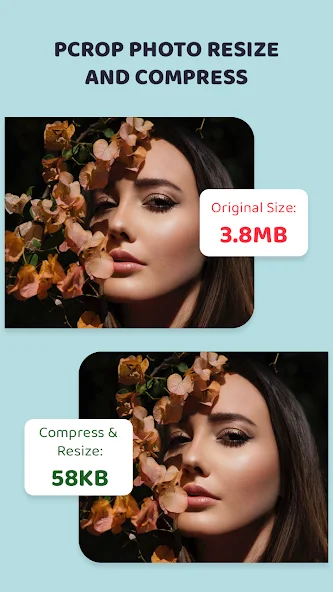
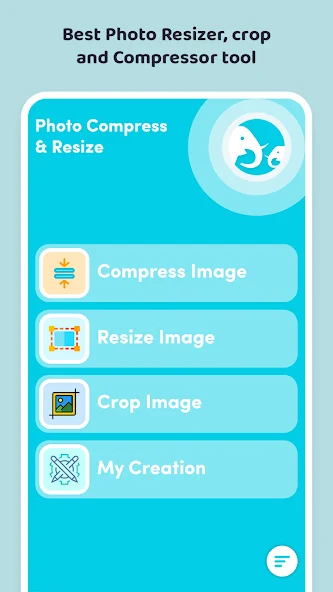
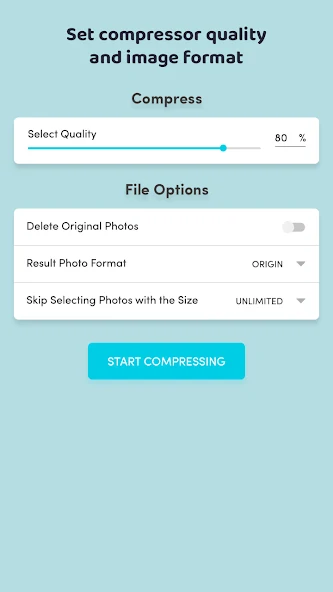
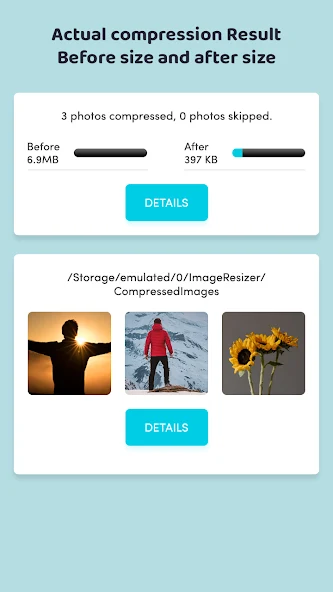
- Image Compression: This feature allows users to compress photos while maintaining original quality. The app offers the flexibility to select custom compression levels, displaying size comparisons before and after compression.
- Resize Photos: Users can adjust image dimensions using custom pixels, percentages, or preset values. The tool preserves the aspect ratio and quality, with options to save files in formats such as JPG, PNG, or WEBP.
- Photo Cropping: Offers freeform cropping and rotation functionality. Users can adjust the crop area with touch support, making modifications as needed.
Practical Applications
The Image Resizer app proves beneficial in numerous practical scenarios. For instance, it helps users adjust photo sizes for platforms such as Instagram, WhatsApp, and Facebook, or optimize images for websites. Its abilities are particularly useful for reducing large camera photo sizes, thereby conserving device storage space while ensuring smooth email attachments and web uploads.
User Experience and Interface
Image Resizer combines a lightweight, fast, and user-friendly interface with effective image editing capabilities. By organizing edited photos into specific folders—compressed, resized, and cropped—the application ensures easy access and management of modified images. Users can also swiftly share or delete images directly from the app, enhancing convenience in photo management.
Advantages for Android Users
The Image Resizer application is praised for its capability to deliver high-quality image compression without compromising the image's integrity. The app’s user-friendly design and robust functionality make it a favored tool for social media uploads, email attachments, and online photo optimization. Moreover, the application helps conserve storage space, ensuring devices function efficiently and without unnecessary bloat.
Get Started with Image Resizer
For Android users seeking a powerful image optimization tool, Image Resizer offers simplicity and efficiency. By streamlining the processes of image resizing, compression, and cropping, Image Resizer helps in achieving lighter, clearer, and better-looking images. Interested users are encouraged to explore the download options available for this versatile application and leverage its tools to enhance their digital content experience.
App info
- App nameImage Resizer
- Versionv1.9
- App size26.38 MB
- CategorySystem Tools
- LanguageEnglish
- DeveloperRising Apps
- Package namecom.riseapps.imageresizer
- Updated2026-11-17
Others also installed







Related topics
See more- Best Tools Apps


You may also like
Refresh