HomeAppsSystem ToolsRoot Checker

Root Checker
For Android devices
Summary
The Root Checker application provides Android users with a straightforward and reliable way to verify the presence and operational status of root (superuser) privileges on their devices. Root access, also known as administrator access, allows users to execute advanced commands and manage system settings beyond standard Android functionalities. By utilizing Root Checker, users can confirm whether root access has been correctly configured, making it an invaluable tool for those unfamiliar with Android's intricate system functions or those concerned about unauthorized root access.
Screenshots
3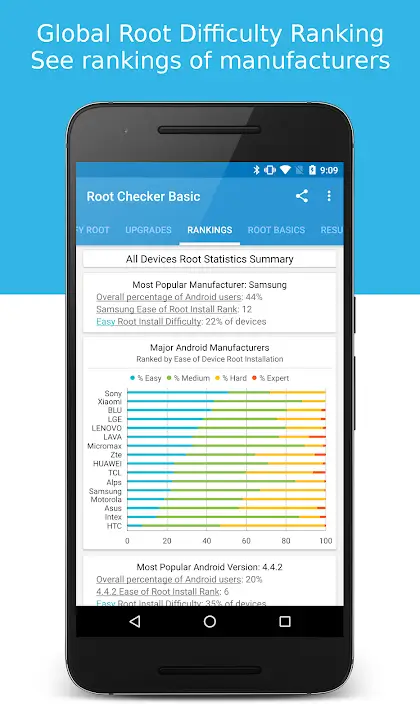
Key Features
Main Features and Functions
- Root Access Verification: Root Checker efficiently determines if root access is available on your Android device. It checks for the su binary, a key component in granting root privileges, ensuring it operates correctly.
- User-Friendly Interface: The application features an intuitive interface that guides users through the process, providing clear notifications of successful or unsuccessful root access.
- Comprehensive Analysis: Root Checker provides a thorough analysis of the su binary's location and functionality, crucial for troubleshooting installation or configuration issues related to root access.
Technical Information
- Versionv6.5.13
- App size12.47 MB
- CategorySystem Tools
- Package namecom.joeykrim.rootcheck
- Developerjoeykrim.
- LanguageEnglish
- Updated2026-11-17
How to Download & Install
- 1
Tap the Download APK button below
- 2
Allow installing from unknown sources if prompted
- 3
Wait for the download to finish, then install the APK file
- 4
Open the app and start using it
Frequently Asked Questions
What is the latest version?
The latest version is v6.5.13, updated on 2026-11-17.
How large is the download?
The download is about 12.47 MB. Downloading over Wi-Fi is recommended.
Which category is it in?
It is listed under "System Tools" and developed by joeykrim..
What is the package ID?
The package ID is com.joeykrim.rootcheck; you can use it to verify the app source before installing.
About this app
Practical Applications and Use Cases
Root Checker is especially useful for users who have recently rooted their Android devices and wish to confirm the process was successful. It acts as a safeguard against unauthorized root access attempts, thereby enhancing device security. Moreover, it serves the broader Android community by supporting developers and tech enthusiasts who customize their devices using root access.
Advantages and Limitations
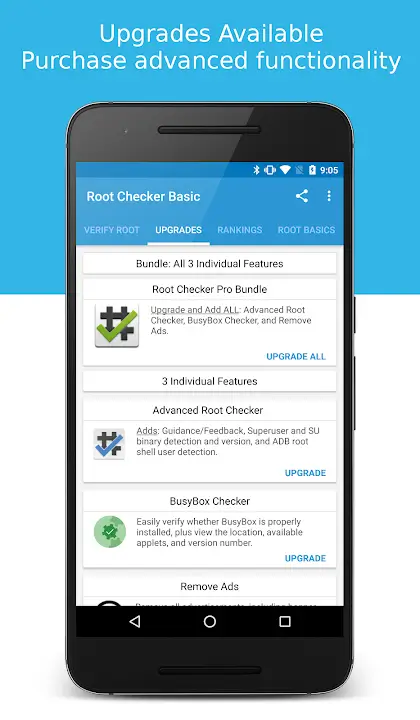
One of the primary advantages of Root Checker is its ability to deliver accurate and quick assessments without requiring extensive technical knowledge from the user. However, it’s essential to note that this application does not grant root access; it merely checks the status of root privileges. Thus, while it informs users of their device’s root state, gaining initial root access requires separate tools and methods.
Interface and User Experience
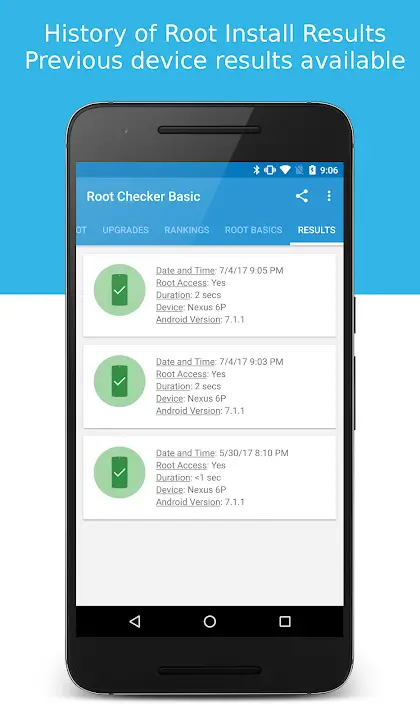
The design of Root Checker prioritizes simplicity and efficiency, which is reflected in its clean interface and straightforward navigation. Users are able to quickly initiate checks and receive immediate feedback, making the process quick and devoid of unnecessary steps. This focus on user experience ensures even non-technical users can effectively utilize the app.
Compatibility and Requirements
Root Checker is compatible with a wide range of Android devices, ensuring usability across different versions and models. Its lightweight design ensures that it runs smoothly without consuming excessive resources or affecting device performance negatively.
Explore Root Checker for Android
Root Checker is an essential download for any Android user seeking to verify the root status of their device. It offers a practical, user-friendly way to assess root access effortlessly. Whether you’re a developer, a tech enthusiast, or simply a concerned user, Root Checker provides clarity and security in managing your device’s root functionality. For a seamless experience and peace of mind, consider accessing the app's download options to integrate this valuable tool into your Android ecosystem.
Related Apps
See more