HomeAppsSystem ToolsExtra Volume Booster & Speaker

Extra Volume Booster & Speaker
For Android devices
Summary
For those seeking to amplify their audio experience on Android devices, the "Extra Volume Booster & Speaker" application offers a compelling solution. This app is designed to elevate the volume of your device's speakers or headphones beyond default settings, making it an attractive option for audiophiles and casual listeners alike. It allows Android users to boost the audio level of music, videos, ringtones, and alarms, making it particularly beneficial for overcoming sound limitations and enjoying clear, enhanced audio.
Screenshots
5


Technical Information
- Versionv2.1.2
- App size20.36 MB
- CategorySystem Tools
- Package nametool.volumebooster.audio.equalizer
- DeveloperEasyelife
- LanguageEnglish
- Updated2026-11-13
How to Download & Install
- 1
Tap the Download APK button below
- 2
Allow installing from unknown sources if prompted
- 3
Wait for the download to finish, then install the APK file
- 4
Open the app and start using it
Frequently Asked Questions
What is the latest version?
The latest version is v2.1.2, updated on 2026-11-13.
How large is the download?
The download is about 20.36 MB. Downloading over Wi-Fi is recommended.
Which category is it in?
It is listed under "System Tools" and developed by Easyelife.
What is the package ID?
The package ID is tool.volumebooster.audio.equalizer; you can use it to verify the app source before installing.
About this app
Powerful Volume Amplification
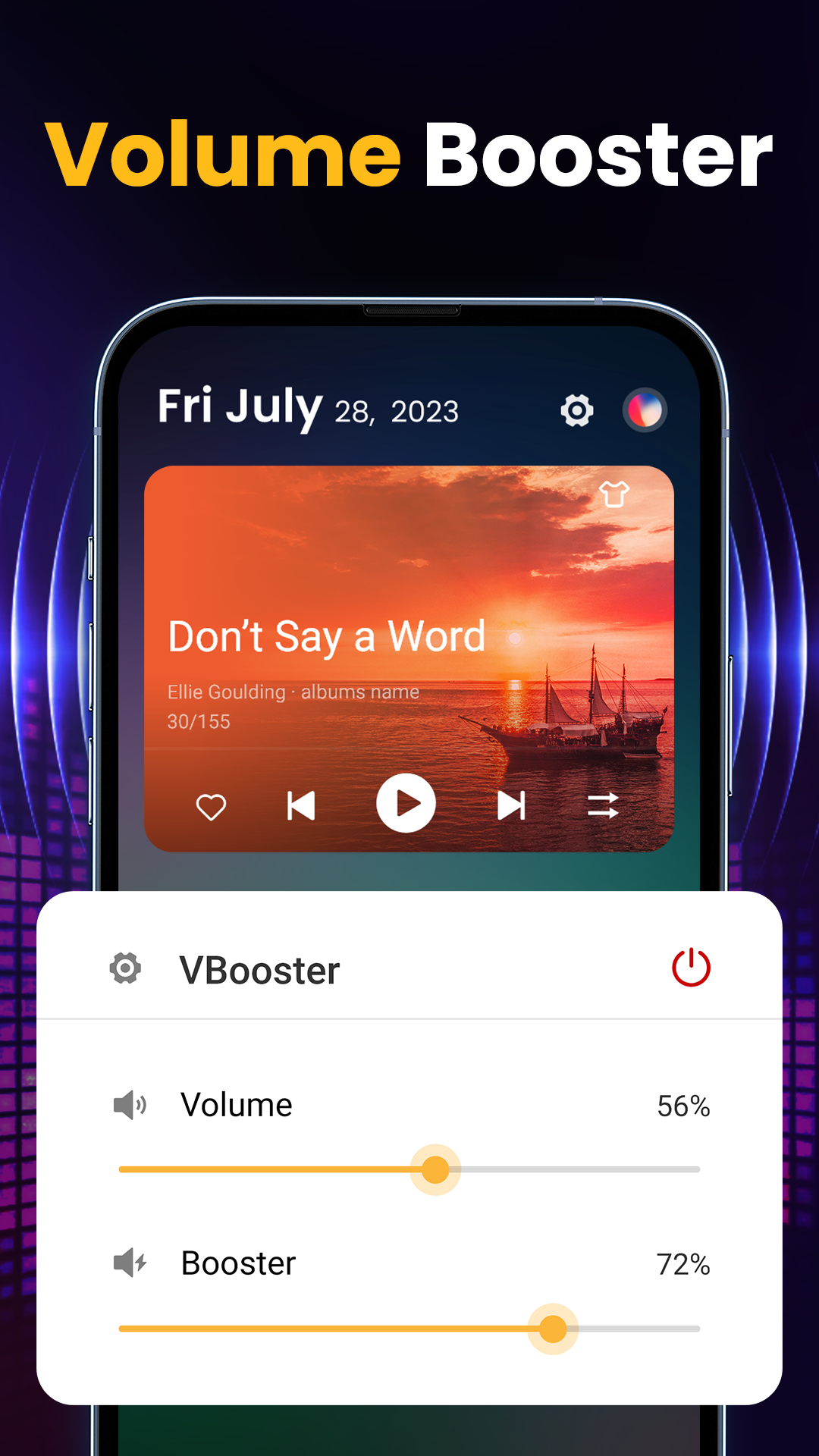
The standout feature of Extra Volume Booster & Speaker is its capability to increase volume by up to 200%. This enhancement is applicable across various media types—be it music, movies, games, or audiobooks—and system sounds such as alarms and notifications. The app provides easy adjustment options with preset levels of 30%, 60%, 90%, and maximum volume for quick access to your desired audio intensity.
User-Friendly Interface and Controls
Designed by a professional team, the app boasts a streamlined and intuitive interface. It includes five sound modes that users can switch between with a single tap, making the app easy to navigate. Additional features include a home screen widget and notification bar for fast volume control, alongside a floating window option that enables volume management even when using other applications.
Compatibility and Flexibility
Extra Volume Booster & Speaker is compatible with headphones, external speakers, and Bluetooth devices, demonstrating its versatility. Moreover, it runs effectively in the background, even when the screen is locked, ensuring sustained audio enhancement without the need for constant app interaction.
Safe and Customizable Settings
The app includes safety features such as maximum volume limits to protect hearing. Users can also customize the allowed range of volume boosts and choose from various vibrant themes, adding personalization without compromising audio quality. Notably, the app functions without the requirement for root access, making it accessible to a broad user base.
Conclusion: Elevate Your Audio Experience
Extra Volume Booster & Speaker is an ideal choice for Android users looking to enrich their auditory experience. Its powerful features cater to diverse listening preferences, from enhanced music enjoyment to louder audio during gaming or video playback. For those interested in pushing their device’s audio limits, this app delivers on its promise of increased volume control. Explore the Android download options to enhance your listening journey today.
```
Related Apps
See more