HomeAppsVideo & Audion7player
n7player
For Android devices
Summary
For Android users seeking a versatile audio player, n7player emerges as an intriguing option to explore. Known for its innovative and intuitive music browsing capability, n7player offers a comprehensive suite of features aimed at enhancing the music listening experience. Designed to handle a variety of popular audio formats such as FLAC and OGG, this music player allows seamless access and control over your entire library, making it ideal for both casual listeners and audiophiles. Its user-friendly interface, combined with advanced audio customization options, ensures that n7player stands out in the crowded field of Android music applications.
Screenshots
5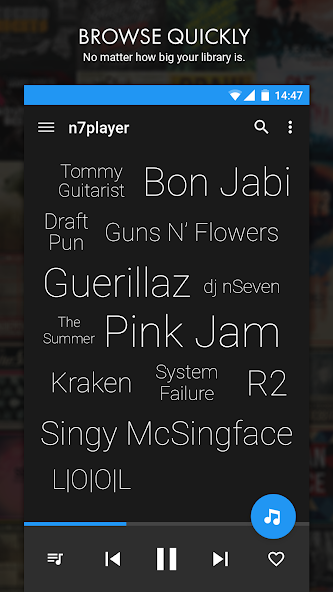
Key Features
Advanced Playback Features
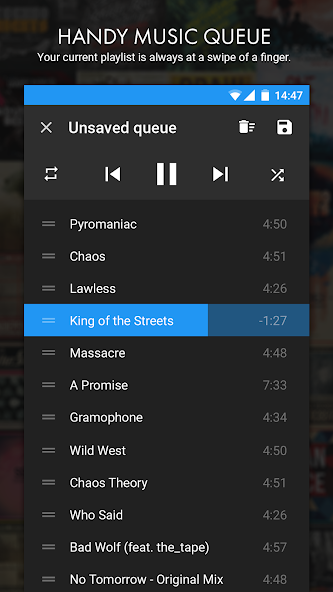
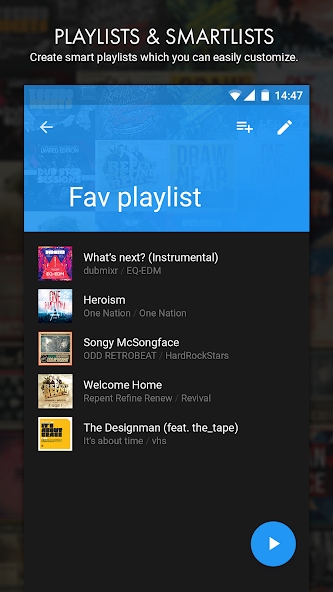
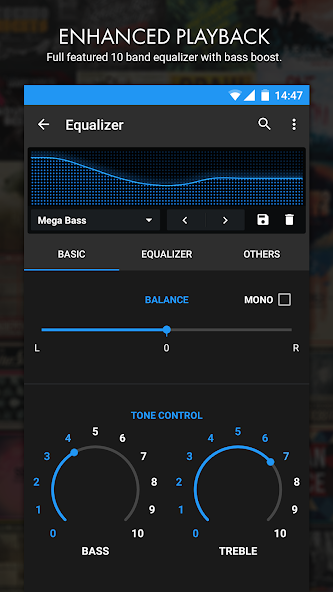
- The application boasts a 10-band equalizer, supporting high-quality sound customization. Users can enjoy features like tunable bass and treble, audio normalization, and customizable presets to tailor their listening experience. n7player supports gapless playback, playback resume, and offers versatile playlist management options for optimized music control.
Technical Information
- Versionv3.2.10-3002010
- App size23.86 MB
- CategoryVideo & Audio
- Package namecom.n7mobile.nplayer
- DeveloperN7 Mobile Sp. z o.o.
- LanguageEnglish
- Updated2026-11-17
How to Download & Install
- 1
Tap the Download APK button below
- 2
Allow installing from unknown sources if prompted
- 3
Wait for the download to finish, then install the APK file
- 4
Open the app and start using it
Frequently Asked Questions
What is the latest version?
The latest version is v3.2.10-3002010, updated on 2026-11-17.
How large is the download?
The download is about 23.86 MB. Downloading over Wi-Fi is recommended.
Which category is it in?
It is listed under "Video & Audio" and developed by N7 Mobile Sp. z o.o..
What is the package ID?
The package ID is com.n7mobile.nplayer; you can use it to verify the app source before installing.
About this app
Intuitive Music Browsing
n7player sets itself apart with its unique music surface that presents your library in an immersive artist cloud view. This innovative graphical representation makes navigating through your collection both intuitive and visually appealing. Users can easily zoom into album views and apply filters to streamline their library, ensuring quick access to favorite tracks.
Personalization and Customization
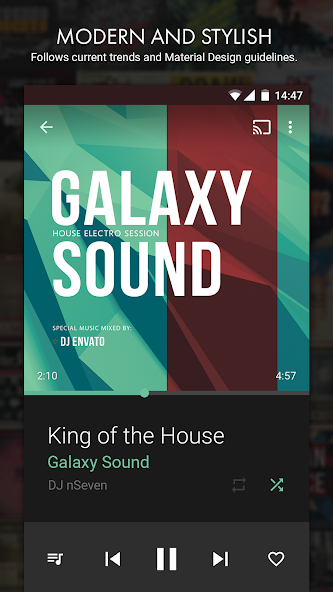
For users who love to tailor their apps, n7player offers extensive personalization options. Customize the app with different themes and widgets, plus a built-in album art grabber for an enhanced browsing experience. The fully configurable headset button controls and lock screen integration further add to the personalized user experience.
Extended Functionality and Compatibility
n7player enhances its utility by connecting to external devices through ChromeCast, AirPlay, and DLNA, thanks to ToasterCast support, for streaming music beyond the confines of your phone. It can be linked with visualizer apps like BLW for a dynamic home screen effect, and users can integrate a third-party add-on for displaying song lyrics, offering a rounded audio experience.
Conclusion: Explore the n7player APK
n7player stands out as a robust and versatile music player application for Android devices, combining intuitive design with powerful audio management tools. Whether you are a casual listener or a dedicated music enthusiast, n7player provides a flexible platform for enjoying your music library. For those interested in exploring its rich features, visiting a reliable APK download site can provide access to this innovative player, expanding your Android music application repertoire.
Related Apps
See more